How to sync your USTA league matches
Your dynamic rating, updated in about ten seconds. You add one button to your browser once, then each time you play: open your record on TennisLink, click the button, and paste. The pictures below use made-up player names.
Step 1: Add the Sync to DTR button (one time)
Drag the yellow button to your bookmarks bar
Open Dynamic Tennis Rating on a computer and scroll to the green Sync from USTA box. Click and hold the yellow Sync to DTR button and drag it up into your bookmarks bar. Don't click it here, because it only does something on TennisLink.
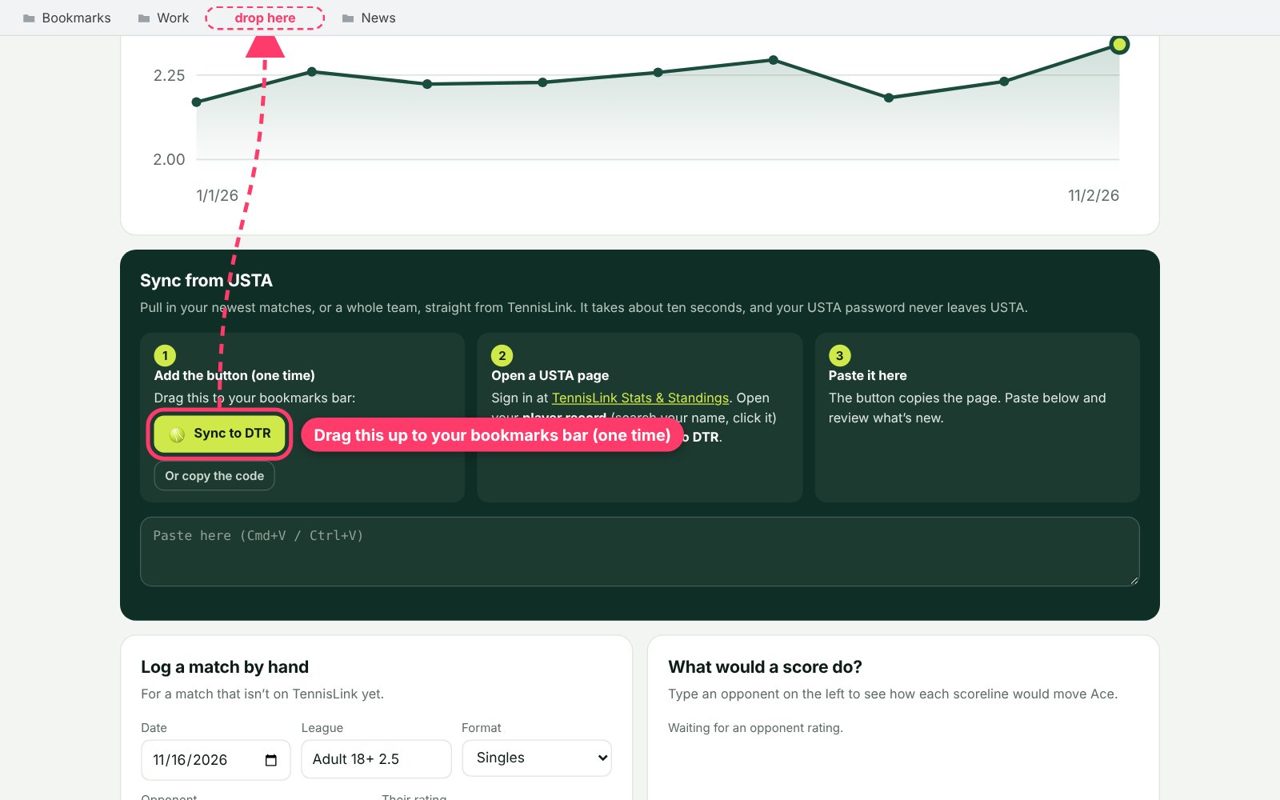
Can't see a bookmarks bar? Press ⌘+Shift+B (Mac) or Ctrl+Shift+B (Windows) in Chrome, or choose View → Show Favorites Bar in Safari.
Step 2: Find your player record on TennisLink
Search for your name in Stats & Standings
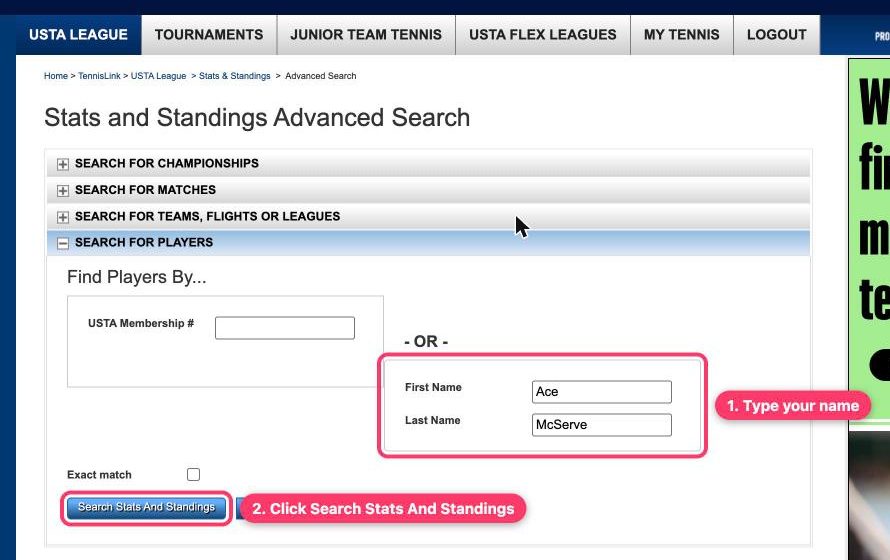
Sign in to TennisLink Stats & Standings. Under Search for Players, type your first and last name and click Search Stats And Standings.
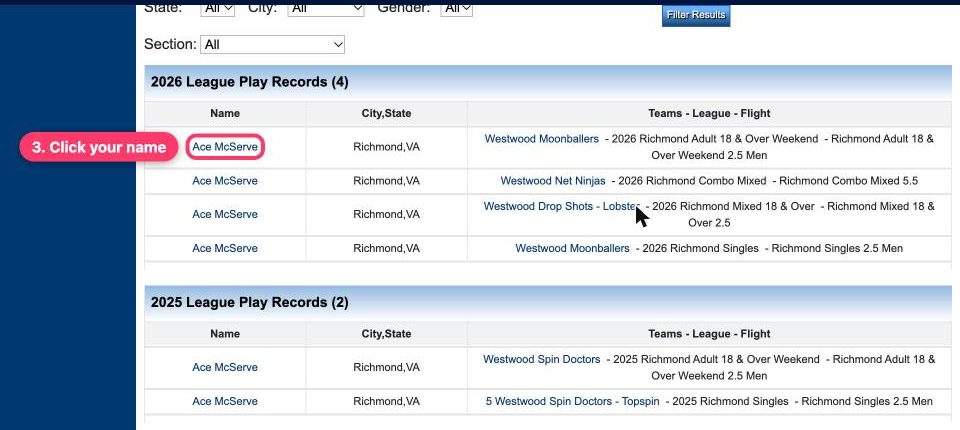
Click your name
You'll see a row for each team you played on. Click your name on any row for this year. They all open the same record.
Step 3: Click Sync to DTR
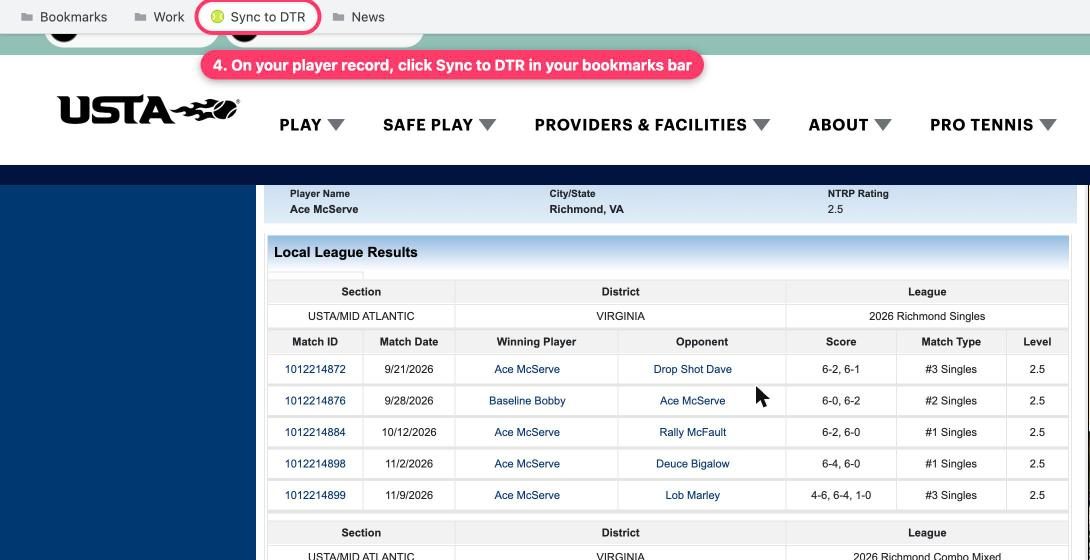
On your Individual Player Record, click the button
Your Individual Player Record lists every league match this year with the score. With that page open, click Sync to DTR in your bookmarks bar.
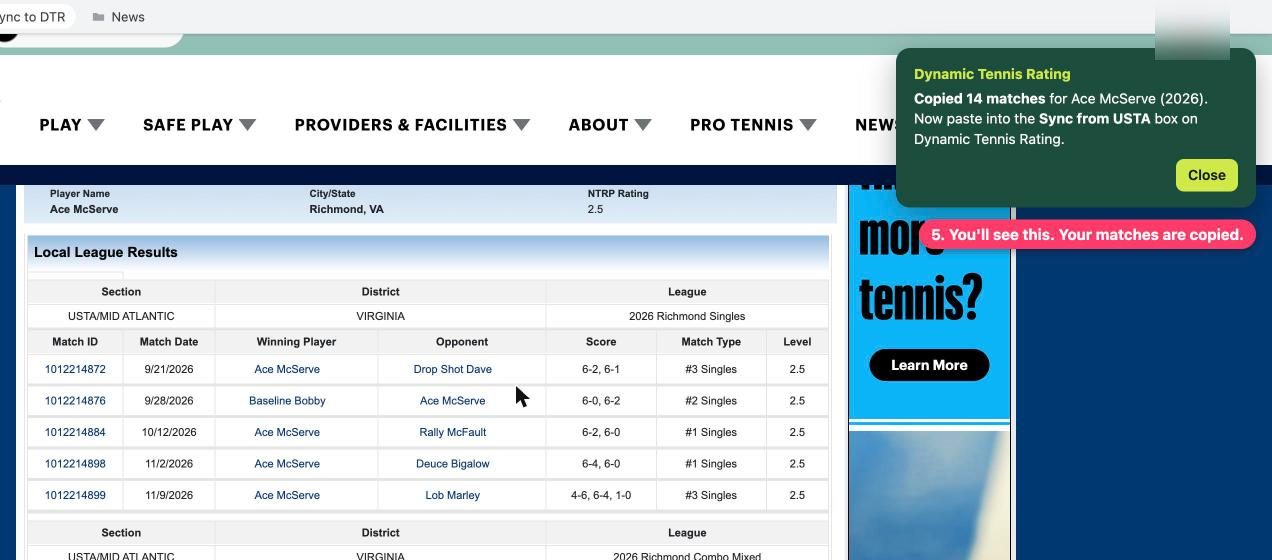
Look for the green confirmation
A green box appears in the corner saying how many matches it copied. They're now on your clipboard, ready to paste.
Step 4: Paste it here and check your new rating
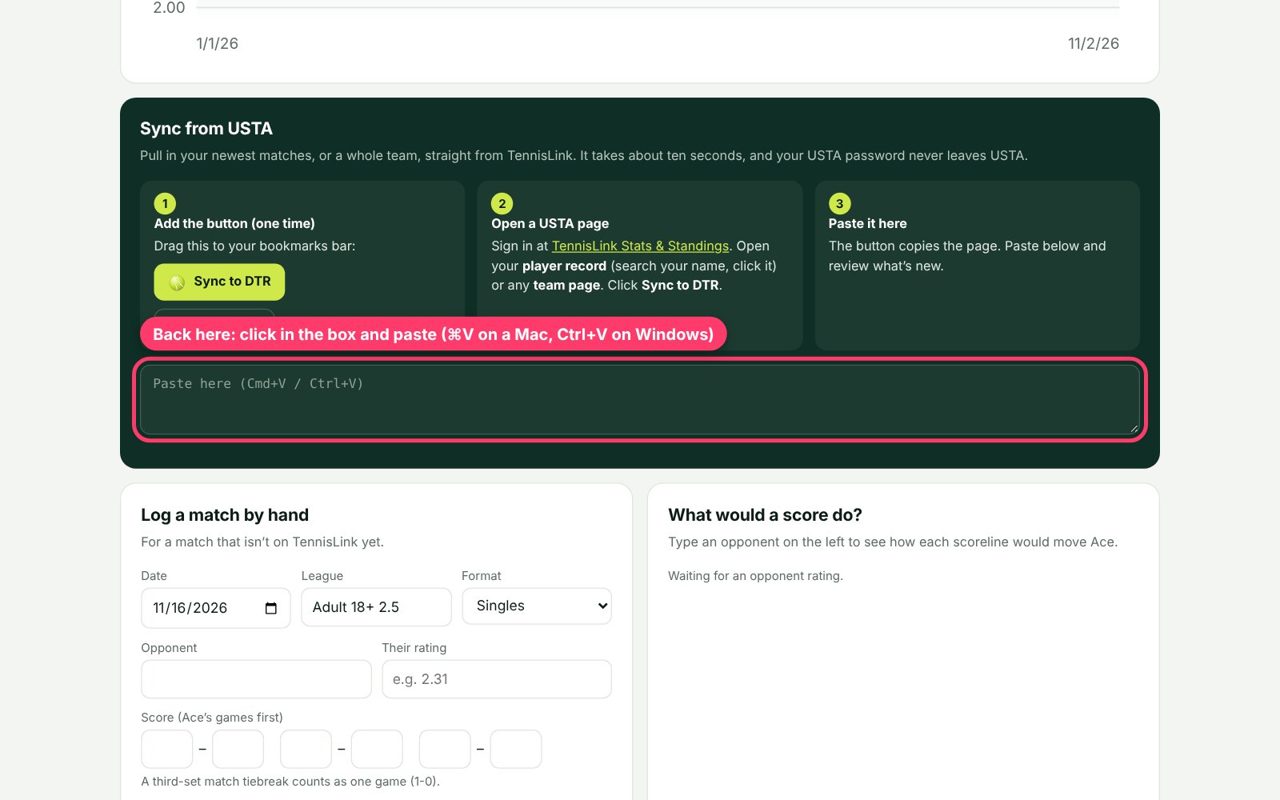
Paste into the Sync from USTA box
Come back to Dynamic Tennis Rating, click in the box at the bottom of the green Sync from USTA section, and paste (⌘+V on a Mac, Ctrl+V on Windows).
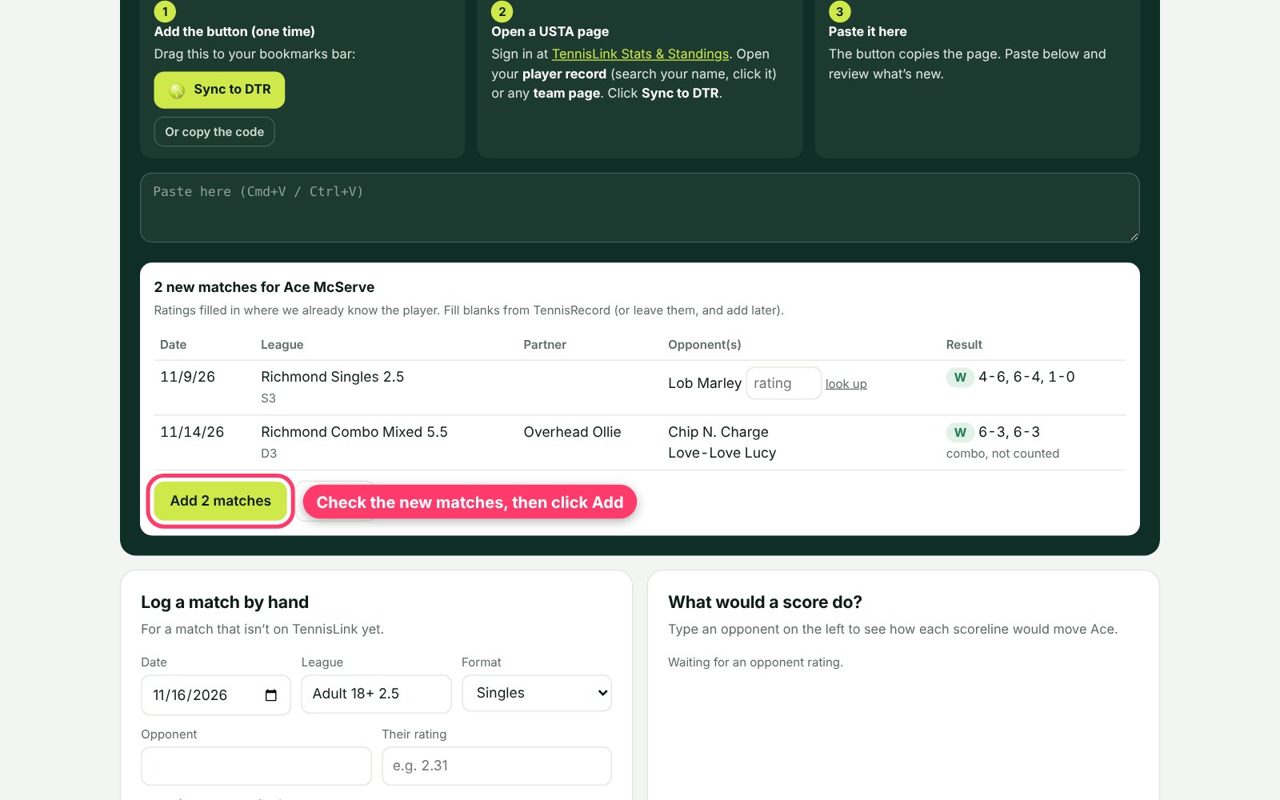
Check the new matches and click Add
Only matches that aren't already on the site show up. Ratings are filled in for players we already know. If a box is empty, you can type that player's rating, or leave it and add it later. Then click Add.
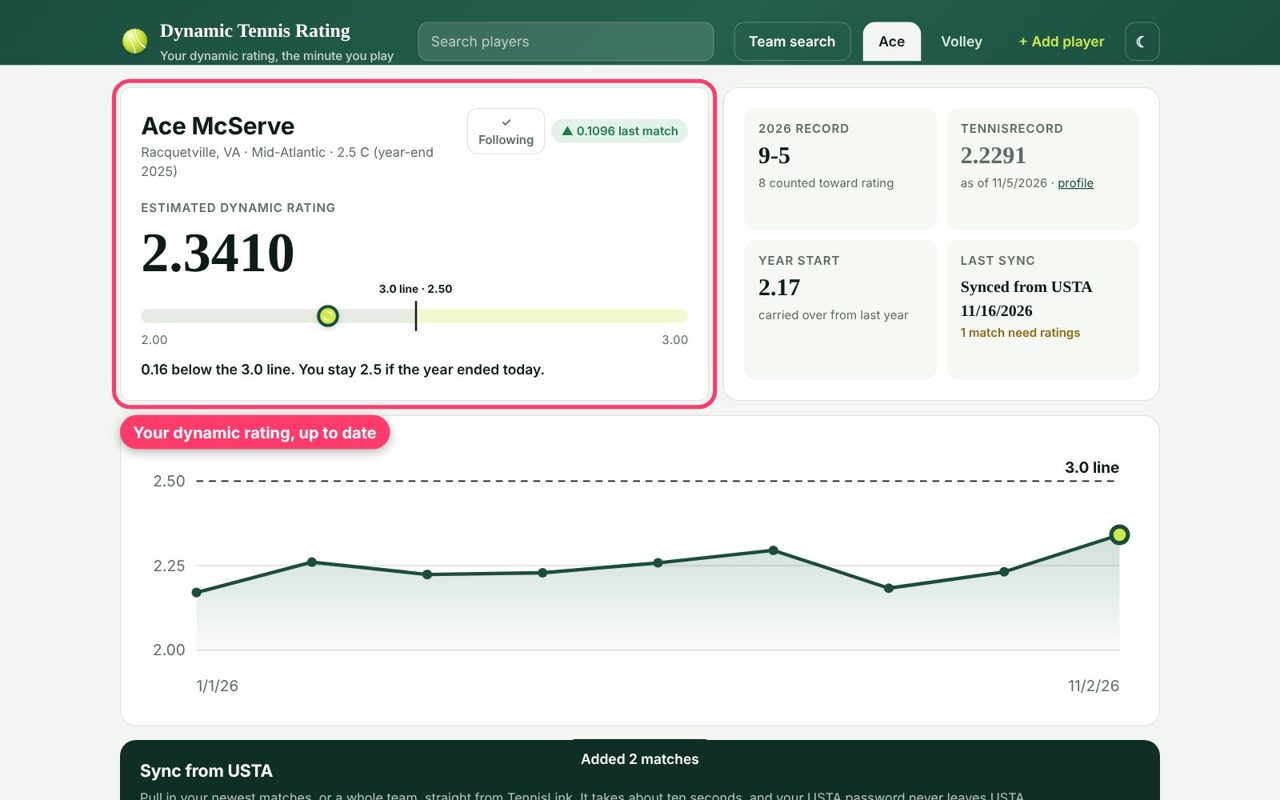
That's it: your dynamic rating is up to date
Your estimated dynamic rating, the bar showing how close you are to the next level, and the chart all update right away.
Scroll down to Match history to see what each match did to your rating. Matches tagged USTA came straight from TennisLink.
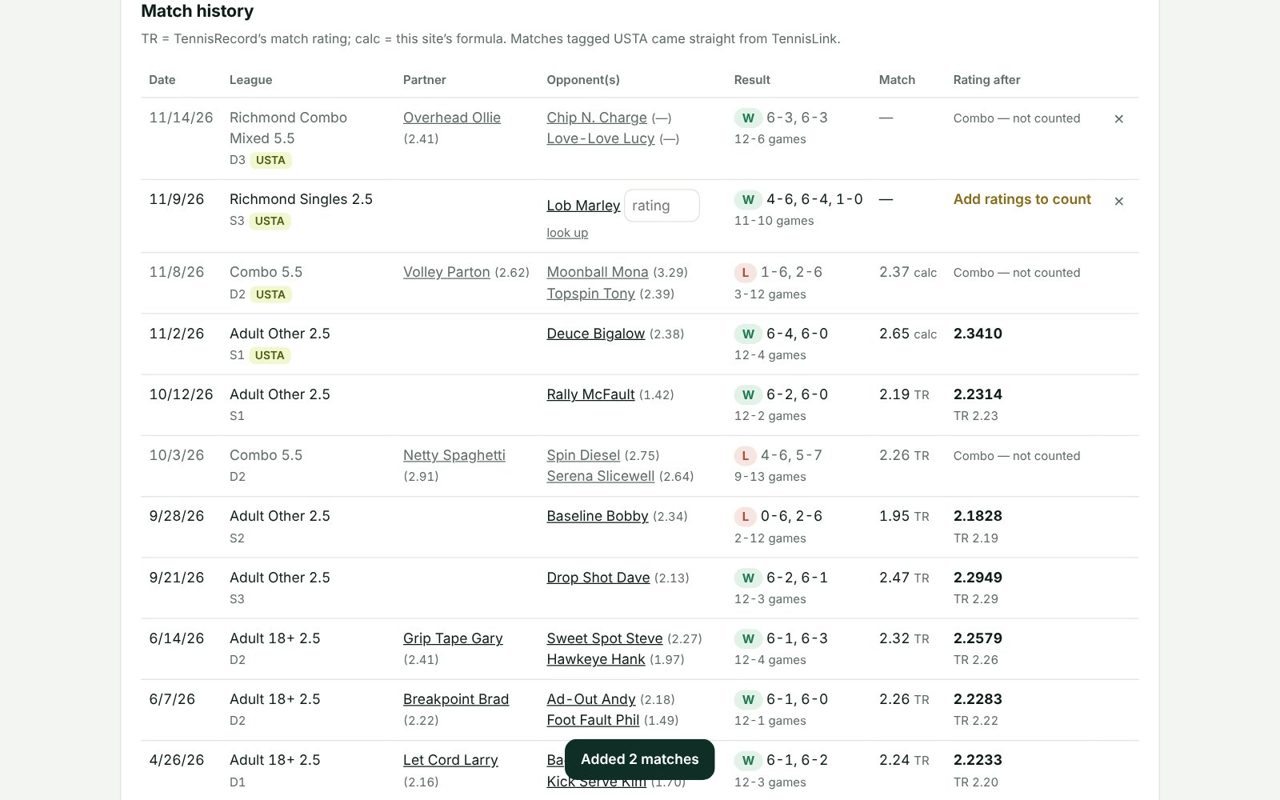
Next time you play, it's just steps 2 to 7: open your record, click Sync to DTR, paste. Nothing you already added is duplicated.
Sync a whole team
The same button works on any team page on TennisLink. Click a team name in Stats & Standings, stay on the Team Summary tab, and click Sync to DTR. It copies the roster and the flight standings.
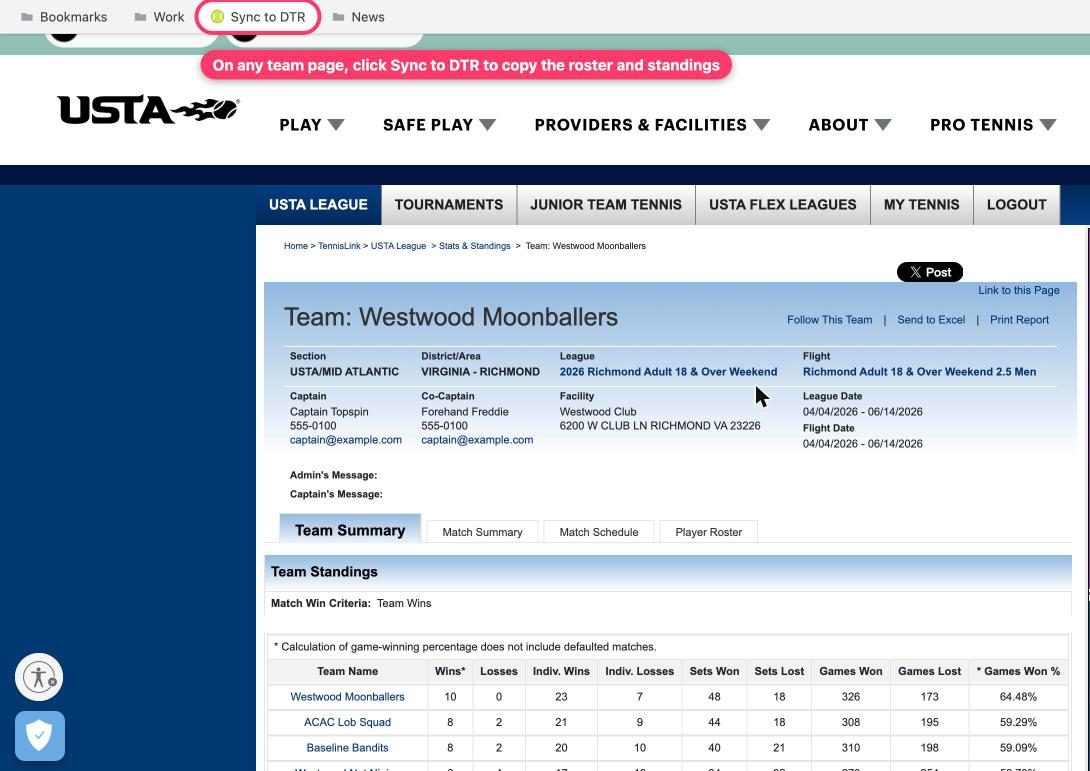
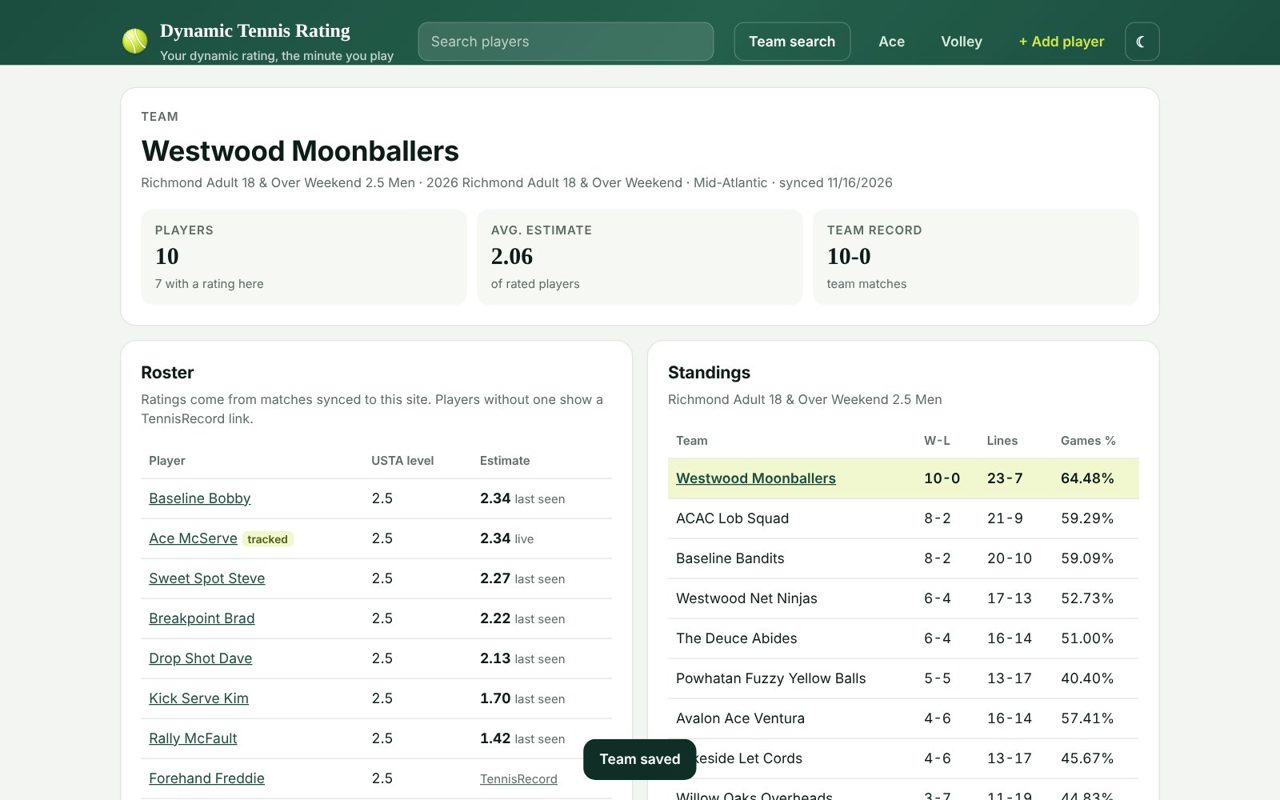
Paste it here the same way, and you get a team page with every player's latest rating, the team average, and the standings.
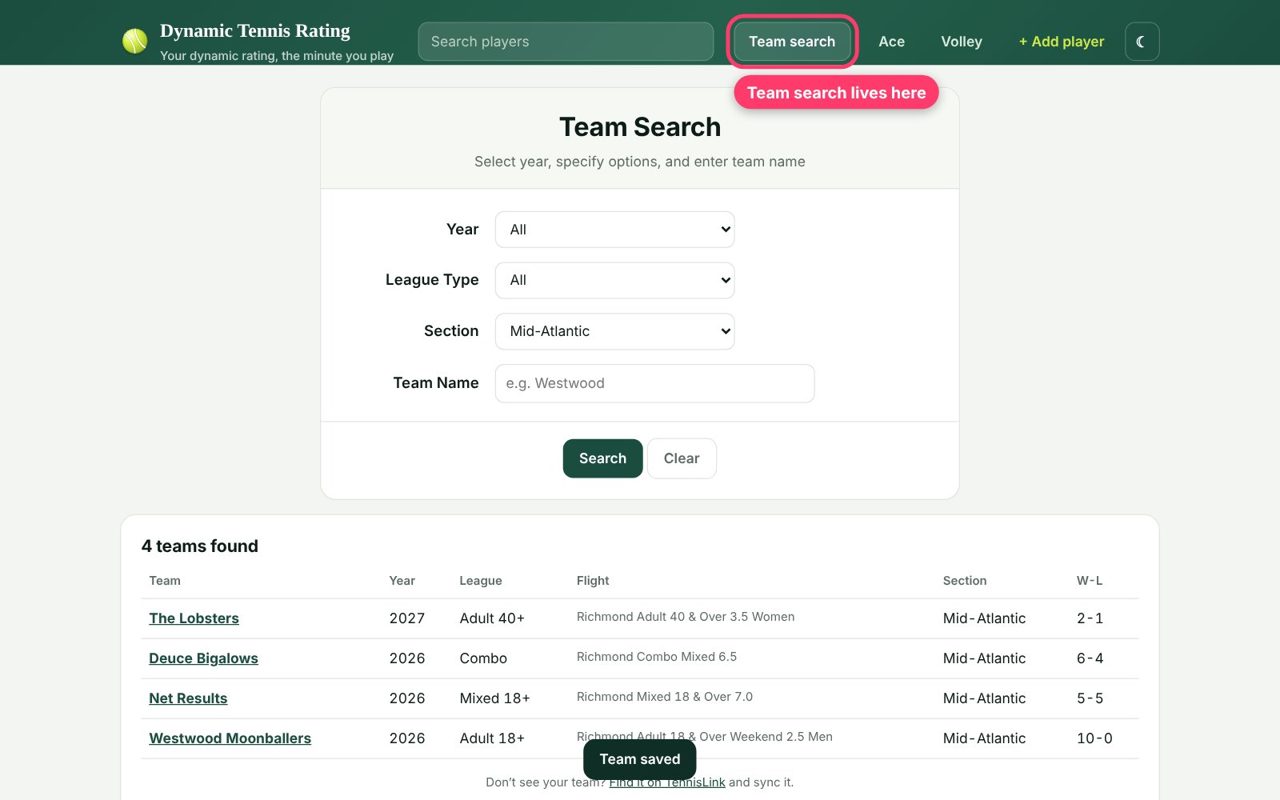
Teams that anyone has synced appear in Team search, which you can filter by year, league type and section.
Help and common questions
I clicked Sync to DTR and nothing happened.
Make sure you are on one of the two pages it works on: your Individual Player Record (the page you get after clicking your name in Stats & Standings) or a team page. On any other page it shows a short note telling you where to go. If you see nothing at all, the bookmark may have been saved without its code. Delete it and drag the yellow button up again.
I can't see my bookmarks bar.
In Chrome, Edge or Brave press ⌘+Shift+B on a Mac or Ctrl+Shift+B on Windows. In Safari choose View → Show Favorites Bar. In Firefox choose View → Toolbars → Bookmarks Toolbar.
Can I do this on my phone or iPad?
Dragging does not work on a phone. Instead, tap Or copy the code under the yellow button, make a new bookmark of any page, then edit it: name it Sync to DTR and paste the code in as its address (URL). After that, open your player record on TennisLink and pick the bookmark from your bookmarks list.
Does this site see my USTA password?
No. You sign in to TennisLink yourself, in your own browser. The button only copies the match table that is already on your screen. Nothing is sent anywhere until you paste it here.
My newest match isn't showing up.
TennisLink lists a match once both captains have entered and confirmed the score, which can take a day or two. Sync again after it appears there. You can also add a match by hand in the Log a match by hand box.
Some matches say “Add ratings to count.”
We need a rating for every player in a match to work out what it did to yours. When a player isn't on the site yet, type their rating in the box (TennisRecord's look up link next to the name usually has it). The match counts as soon as the ratings are filled in.
Why is my rating different from TennisRecord or from the USTA?
The USTA calculates a dynamic rating after every league match but does not publish it. TennisRecord and this site both estimate it from public scores, so the numbers are close but rarely identical. This site updates the moment you sync, instead of waiting for a weekly update. See how dynamic ratings work for the details.
Why don't combo matches count?
Combo leagues pair players from different levels, so a combo score says less about each player. This site leaves combo matches out of the estimate, as TennisRecord does. They still show in your match history.
How do I add a friend or my spouse?
Click + Add player at the top, or have them sync their own player record and paste it here. A new name brings up a short form asking for their rating at the start of the year.
Is there a cost or a login?
No. Looking up ratings is free and open to everyone, with no account needed.
Still stuck? Read how dynamic ratings work, or try a score in the dynamic rating calculator.